 Automated Labor Analysis System
Turn labor study video into structured activity data.
ALAS is an independent OpAssistant solution for manufacturing and operations teams that need faster, more repeatable labor time studies. Upload video, configure activities and ROIs, process studies, and review labor metrics in one focused workspace.
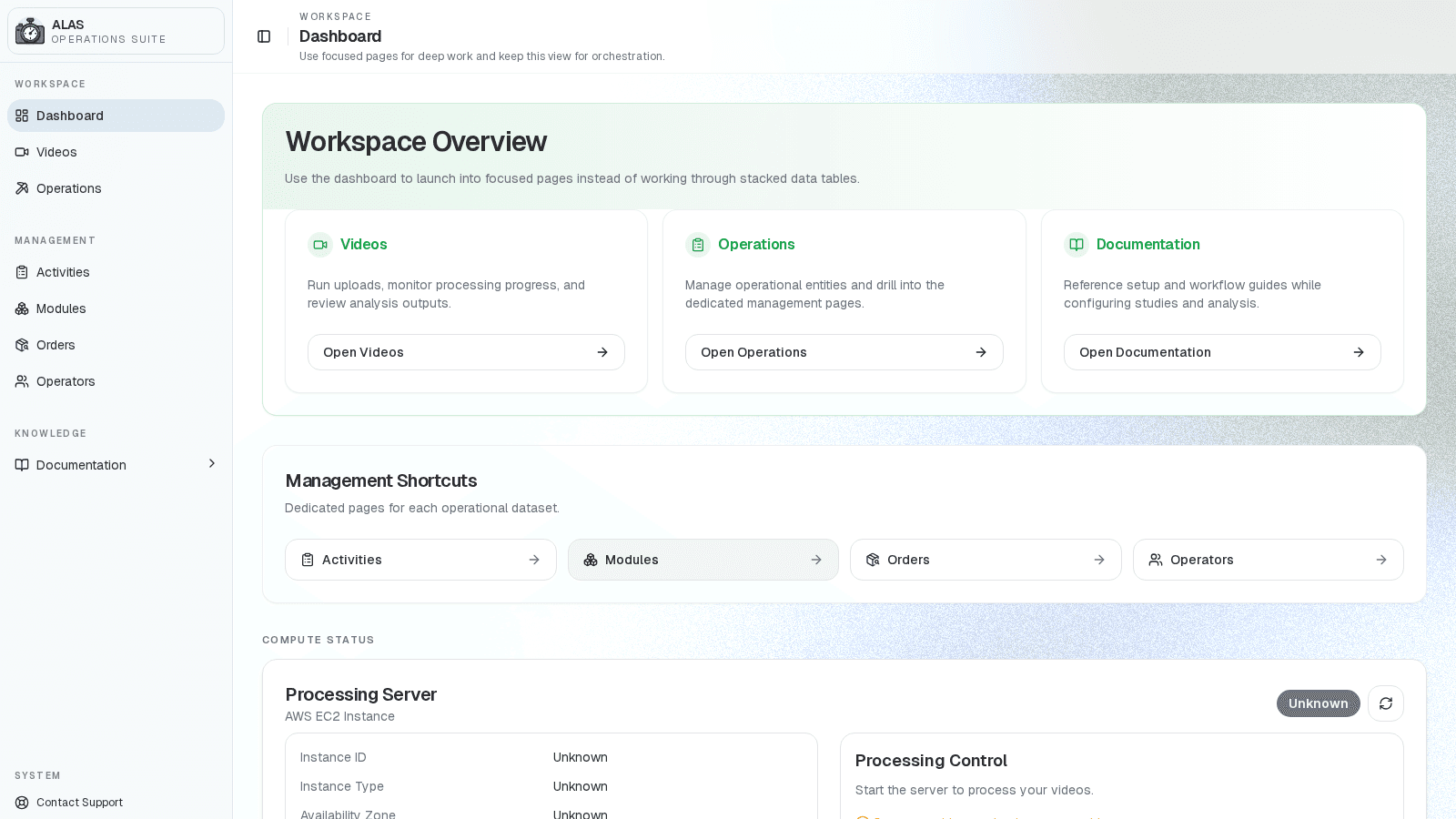
Workspace with studies and processing status
Uploads, statuses, and review actions in one focused page
The ALAS study workflow.
Each study moves from video capture to ROI configuration, processing, and reviewable metrics.
Step 1
Upload study video
Create a study record, upload video, and prepare the file for processing.
Step 2
Configure the work
Attach relevant study context, work setup details, activity types, timestamps, and templates.
Step 3
Draw ROIs and rules
Define work regions, priorities, activity rules, and manual timestamp overrides.
Step 4
Process the study
Run the study through the analysis pipeline and track progress from the workspace.
Step 5
Review and export
Inspect live analytics, activity time, ROI metrics, event tables, and study reports.
ALAS workflow media.
Privacy-safe demo screens from workspace orchestration, ROI setup, and analysis review.
Workspace orchestration
The ALAS dashboard shows studies, reference setup, docs, and processing status.
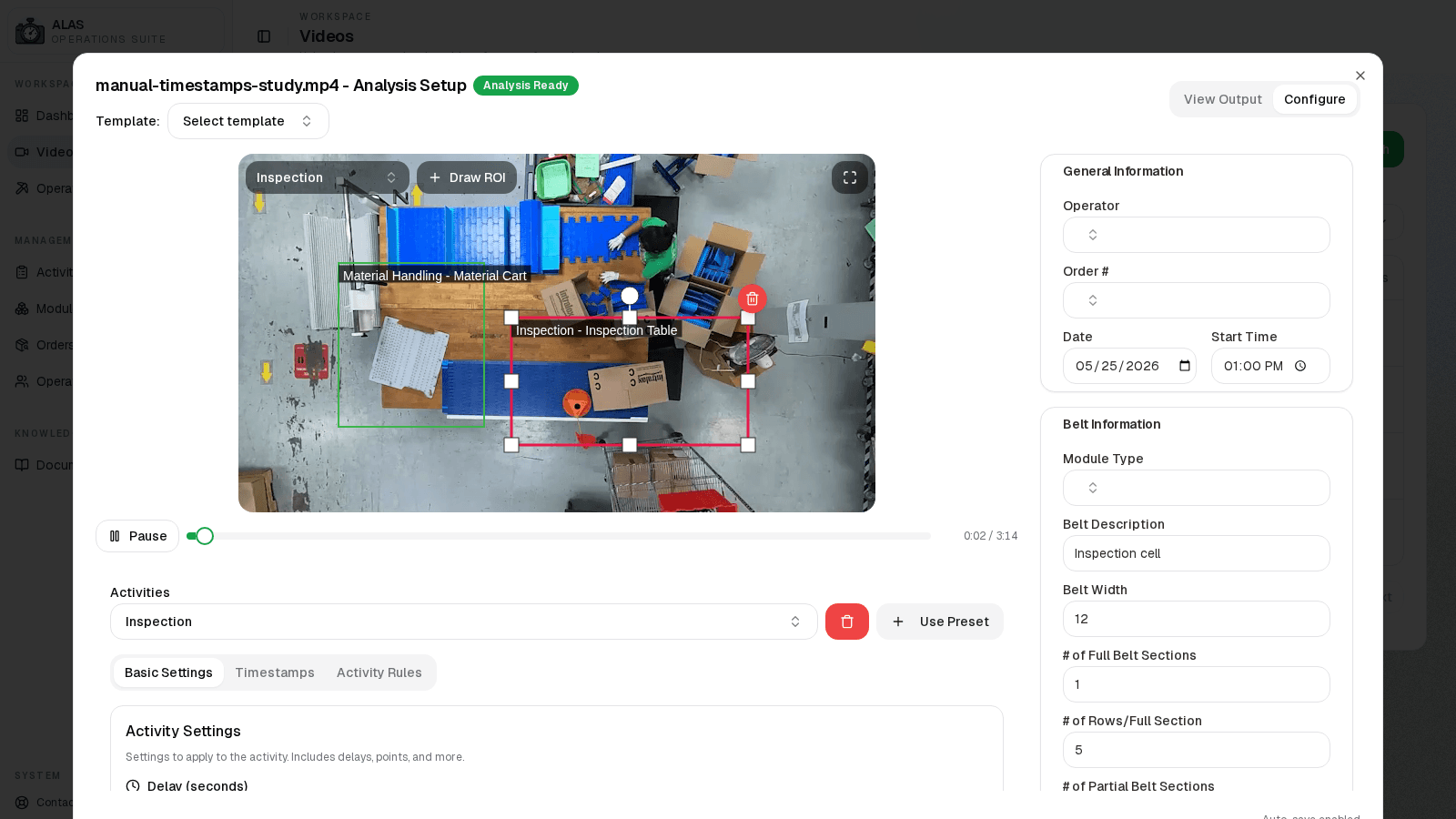
ROI configuration
Synthetic demo footage keeps drawn regions, activity selection, and study metadata visible without exposing a real facility.
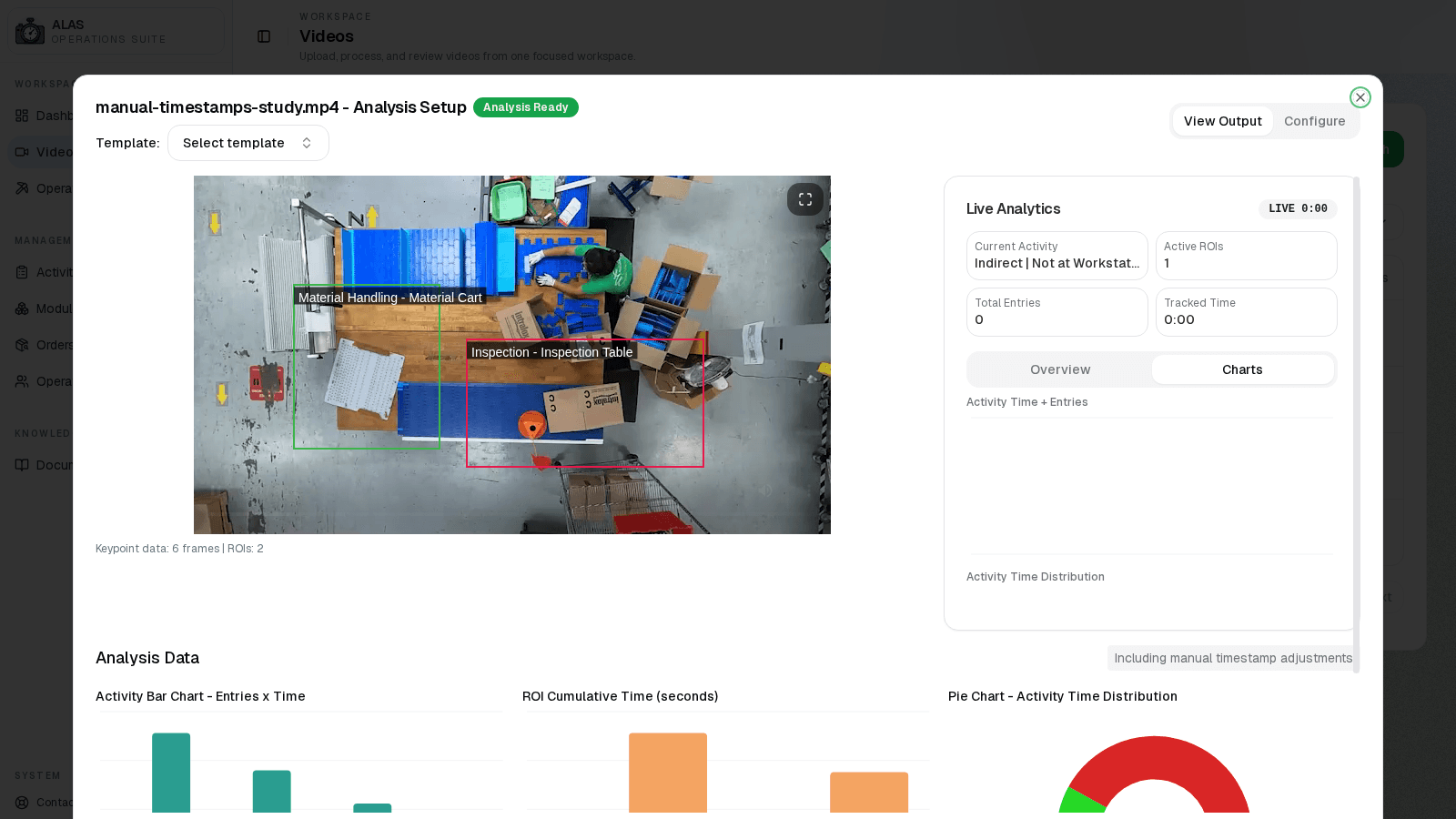
Analysis review
Synthetic study data turns into activity charts, ROI summaries, live analytics, and exportable reports.
Independent today, ready to connect later.
ALAS is not directly integrated into OpAssistant yet. It stands as a focused solution that can later connect through shared reporting and workflow surfaces.
- Upload, configure, process, and review studies in one focused workspace.
- Keep study records, setup data, and processing status visible to the team.
- Convert video review into activity metrics, ROI summaries, and reportable outputs.
- Connect ALAS to broader OpAssistant workflows when the product path is ready.
Synthetic demo footage keeps the workflow privacy-safe
Request a walkthrough.
Tell us which workflows you want to modernize and we will walk through OpAssistant, ALAS, or both.